

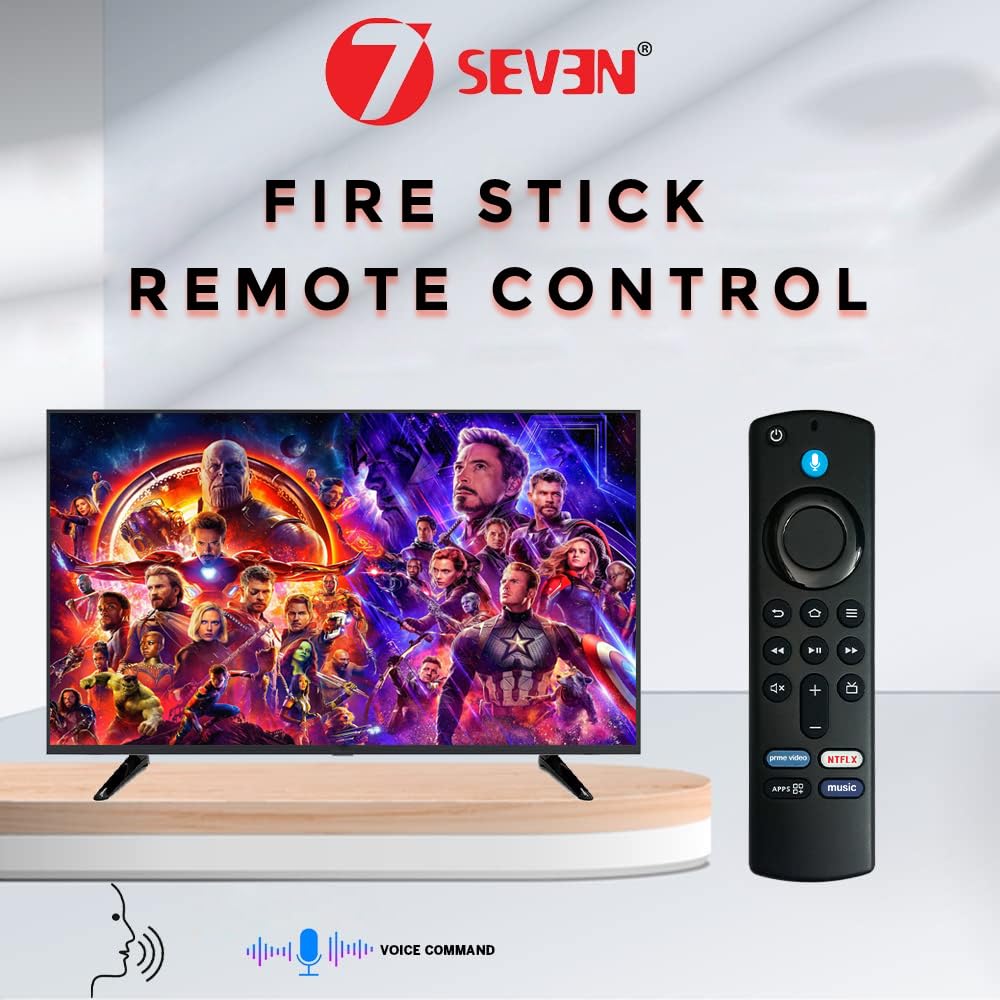


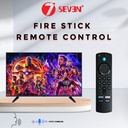

7SEVENQ 与消防电视棍兼容 适合所有型号 L5B83G S3L46N 第三代消防电视 4K设备 蓝牙语音指挥 跟随配对和麻烦扫射步骤 启用Alexa
8 sold in last 24 hours
- 通用Fire Tv Stick远程兼容性:经验无缝控制与全火棍一代远程,以蓝牙连接为特色进行即时配对. 这个火电遥控器能增强稳定性 保证你的火电视的无瑕疵连接
- 语音指令集成与 fire tv 粘接远程 :使用此火棒远程原创的语音能量. 内置的麦克风允许你轻松地导航你的Fire TV棒,利用Alexa来发出语音指令来搜索和控制你的媒体。
- How to Pair Fire Tv Riter:有3方法用FireTv Stick设备获得对7SEVEN遥控. 方法1:在3米距离内简单按住家用钥匙10-15秒,然后进行配对,如果不是配对的Opt Next工艺. 方法2:步骤1:重新启动你的消防电视棒:将消防电视棒解开,并在60秒后插回. 步骤2: 重置远程( 对于一些模型): 按下并按住 + 菜单 + 在导航环上左转10秒,然后按住Home按钮10秒. 确保遥控器在火电棍10英尺(3米)以内. 如果第二方法也得不到配对,那么Opt Final Process.
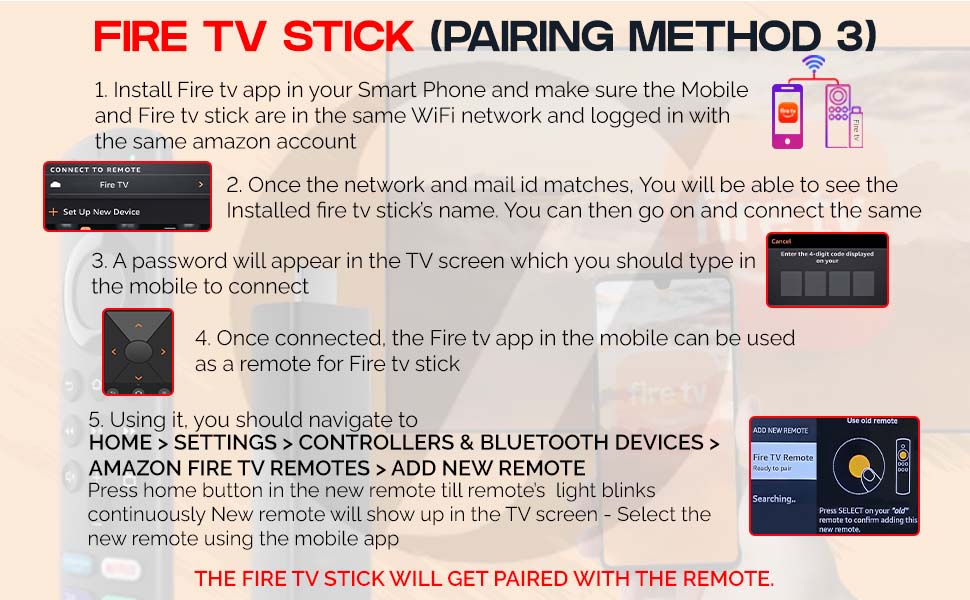
- 方法 3: 在您的智能手机中安装 Fire tv app, 确保 Mobile 和 Fire tv 棒在同一WiFi 网络中,并登录在同一账户中 。 一旦网络和邮件ID匹配,您就可以看到安装的火电棍的名字 。 然后,你可以继续 连接同样的。 密码会出现在电视屏幕上,您应该在手机中键入以连接。 一旦连接,移动中的Fire tvapp就可以用作Fire tv棒的遥控器.
- Using it, you should navigate to HOME-SETTINGS-CONTROLLERS & BLUETOOTH DEVICES- FIRE TV REMOTES-ADD NEW REMOTE-Press home button in the new remote till remote’s light blinks continuously-new remote will show up in the TV screen-SELECT THE NEW REMOTE USING THE MOBILE APP.
- [障碍射击提示] 如果遇到诸如非功能音量按钮,Power On/Off不工作,或无法控制您的电视等问题,可能是由于远程和您的Fire TV Stick设备之间的固件不兼容. 在我们的产品描述中对此有清楚的解释和视觉突出。 请确保您的设备固件更新并与远程版本兼容
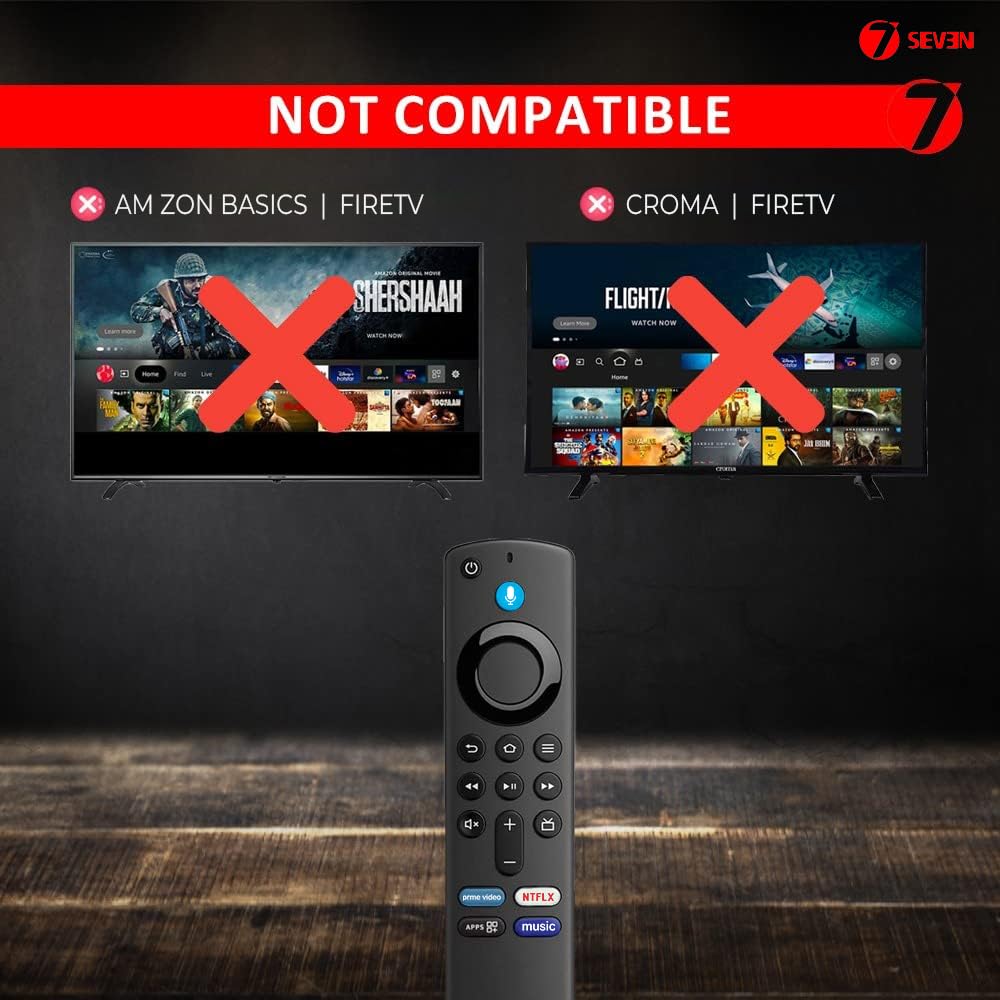
- 增强兼容性:火棒第三代遥控器与包括火棒4k在内的各种装置兼容. 这支火棍TV遥控器确保您可以轻松地享受您的火棍TV4k和其他型号,增强您的媒体体验.
- 请避免在壁炉中进行重排 因为它可能引导 更新功能
Estimated shipping
Select a product to estimate shipping.重要资料
安全资料:
为防止损坏,在电池长期未使用时拆除电池
法律免责声明:
Brand and Trademarks 7SEVEN & 7SEVEN Logo are registered trademarks of 7SEVEN in Class 9, Class 11, & Class 18 under intellectual property rights government of India. Without written permission from 7SEVEN, it is not allowed to use our registered trademarks and/or logos.
Fire tv 粘贴遥控器
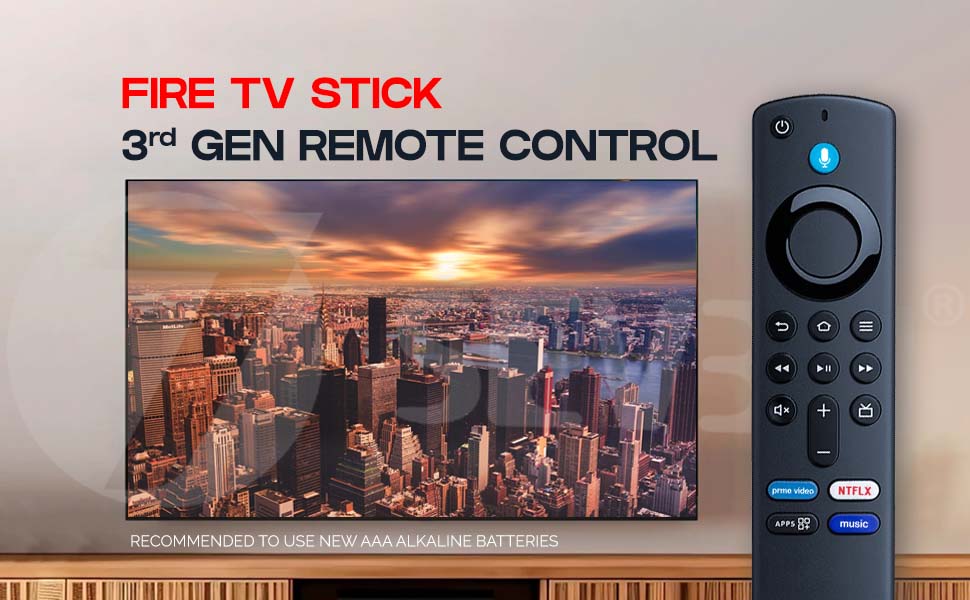
Fire tv 远程第三代远程控制
兼容的Fire TV Stick 第三代遥控器仅使用第三代Fire TV Stick 4K设备,为您的Fire TV设置提供了增强功能. 这种远程功能具有蓝牙连接功能,为不间断的流水提供无缝和稳定的配对. 凭借其语音控制集成,您可以使用简单的语音指令在您的Fire TV Stick上轻松搜索,播放和管理内容. 兼容的火棍远程设计是轻量级和ergonomic的,保证了对扩展的观看会话的舒适握住. 为Fire TV Stick 4K用户设计,此遥控器包括流行流媒体应用的快速访问按钮,因此可以立即推出你最喜欢的内容. 无论是更换你的Fire TV Stick第三代遥控器还是更新你的遥控器,这个兼容的Firestick遥控器保证了一种平滑的经验.
为了达到最佳性能,总是使用新的AAA碱电池与你的遥控器.
4K Fire TV 遥控器
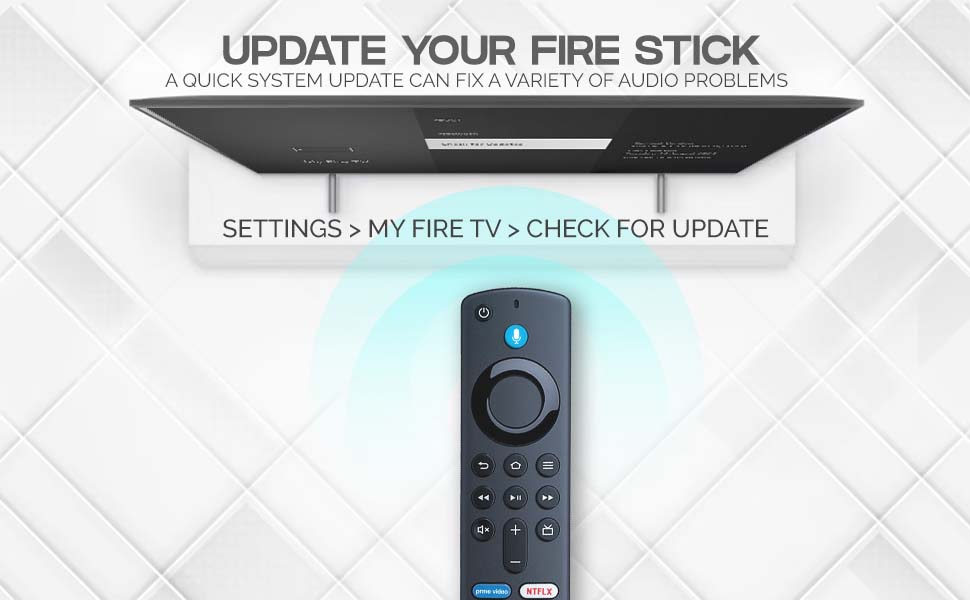
更新您的火棍以提高性能和音频校正
快速系统更新可以解决各种问题,包括你的Fire TV Stick上的音频问题. 保持您的"消防电视棍"第3代遥控器和装置的更新,确保了最佳性能,改进的特性和流畅. 若您正在经历音频同步问题、断音问题或其他相关问题,
为了更新你的消防电视棒:
1. 进入您的 Fire 电视上的设置。
2. 导航到我的消防电视。
3. 选择检查更新以搜索最新的软件更新。
这个简单的更新过程确保了您兼容的Fire TV Stick 第三代远程工作与您的设备完美无缺. 若您使用 Fire TV Stick 远程原创或替换遥控器, 系统更新也会确保与新功能及改进的兼容性。
定期更新也会改善整体流体体验,增强设备的稳定性,并修复任何已知的bug. 无论是使用语音指令、导航流程序, 或只是调整设置,
不要让音频延迟或同步问题等问题扰乱你的娱乐。 保持最新 尽可能好的经验 你的消防电视棒 和它的远程。
Fire stick tv 遥控器
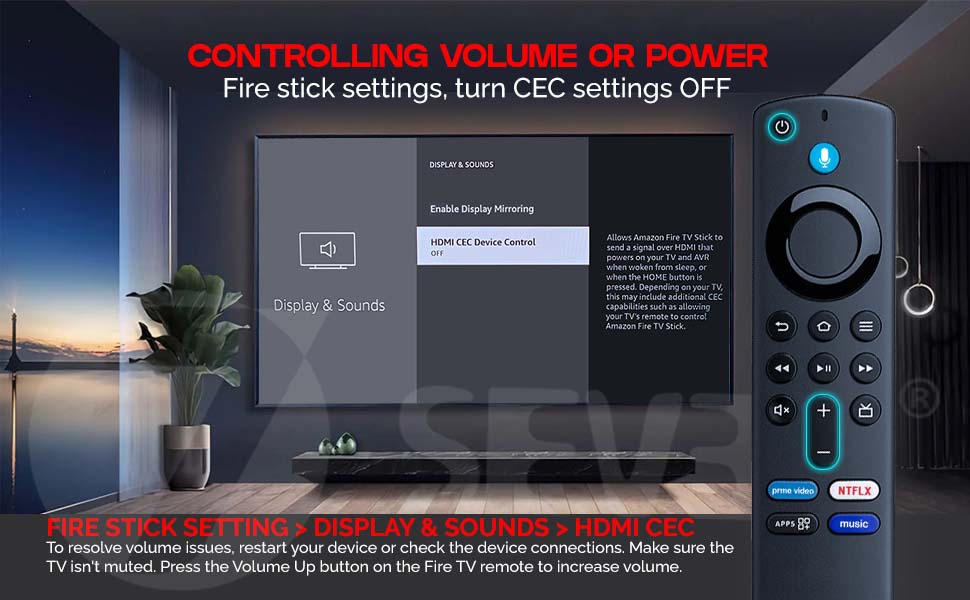
控制您相容的电量或电量 TV 棒
如果你在你的兼容火控电视棒上遇到体积或电源控制的问题,可以采取简单的步骤解决问题. 要调整控制音量或功率的设置,首先取消您设备上的 HDMI CEC 特性。
1. 消防棒设置。
2. Navigate to Display & Sounds.
3. 选择 HDMI CEC 并关闭设置。
这确保了您的兼容火电 Stick 遥控器能够独立控制音量和功率,而不受连接设备的干扰. 如果您仍有音量问题, 请尝试重新启动设备以刷新设置, 或者检查所有设备连接是否安全 。
并使用Fire TV Stick遥控器的音量调高按钮, 若您使用Fire Stick 4K遥控器或Fire Stick 第三代遥控器,
为了更好地控制你的观看经验,语音遥控器也允许您通过语音命令来增减音量.
通过遵循这些步骤,可以确保您的兼容火棍电视遥控器完美地工作,可以不中断地调整音量,控制功率,并传递平滑的媒体体验.
火棍蓝牙遥控器
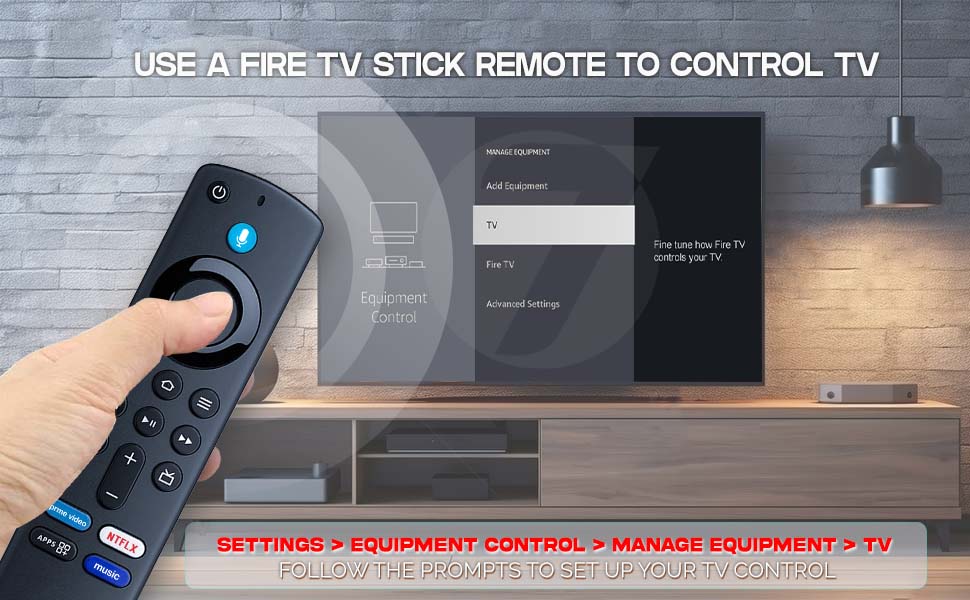
设置您的火的TV 棒的遥控 TV
为了增强你的娱乐体验,使控制你的Fire TV Stick和TV无功用,你可以在你的Fire TV Stick遥控器上设置设备控制功能. 这使得你的遥控器不仅可以控制你的Fire TV Stick,还可以控制你的电视,所有设备都只有一个.
遵循这些简单的步骤配置用于电视控制的Fire TV Stick遥控器:
1. 导航到你的消防电视棒上的设置。
2. 向下滚动并选择设备控制器。
3. 在设备控制菜单中,选择管理设备。
4. 从设备列表中选择电视.
5. 跟踪屏幕上的提示,以完成设置过程。
设置完成后,您的兼容火线电视棒遥控器将与您的电视机配对,允许您使用兼容火线电视棒遥控器使用语音指令控制您的电视机. 这个设置与"火电棍"第三代合作. 它为您提供了最终的方便, 管理您的Fire TV Stick 和您的电视用一个遥控器,
这一过程既迅速又容易,确保您能够享受精简而有效的娱乐管理方式。 无论您正在观看电影,流播,还是浏览应用程序,这个功能通过允许您使用单个远程访问您的所有媒体来增强您的控制. 确保您的兼容防火电视棒遥控器配对并准备与您的电视机一起使用,以充分发挥你的观看经验.
Fire tv stick 4K 蓝牙语音遥控器
Fire tv 遥控器
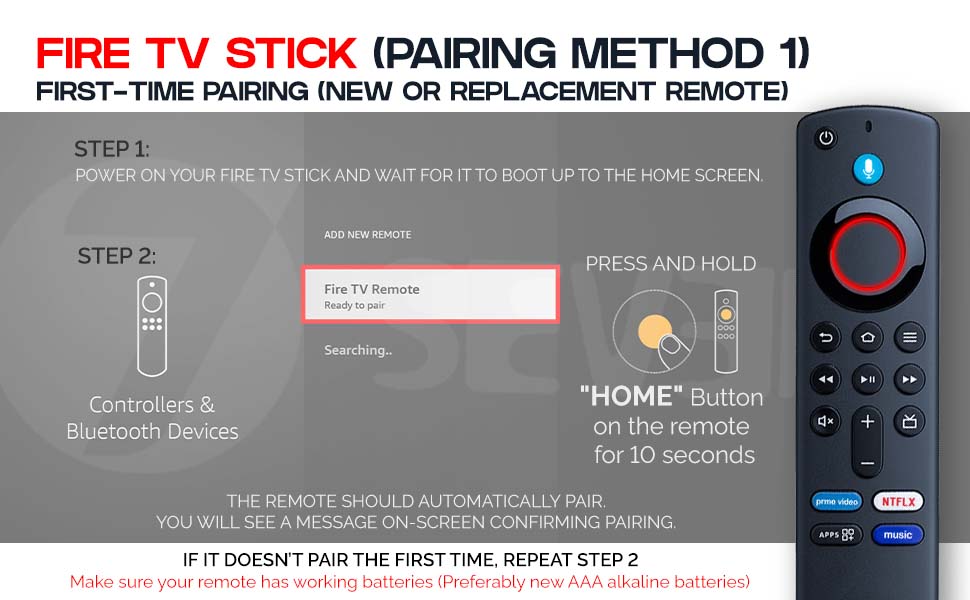
To successfully pair your new or replacement Fire TV Stick remote, follow these simple steps. Begin by powering on your Fire TV Stick and waiting for it to fully boot to the home screen. This is essential because the pairing process only begins once the device is on and operational. Once at the home screen, navigate to the settings menu, and then go to “Controllers & Bluetooth Devices.” From there, choose the option “Add New Remote.” This will prompt your Fire TV Stick to begin searching for a new remote to pair. At this point, take your remote and press and hold the “Home” button for 10 seconds. This step is crucial, as it activates pairing mode on the remote, allowing it to be detected by the Fire TV Stick. After a few moments, your Fire TV should recognize the remote, and a message will appear on the screen saying “Fire TV Remote – Ready to pair.” Once connected, another confirmation message will be shown on the screen, letting you know that pairing has been successful. If the remote does not pair on your first attempt, don’t worry simply repeat Step 2. Often, a second attempt resolves the issue. Also, make sure that your remote is powered by working batteries, as weak or dead batteries are a common reason remotes fail to pair. It is recommended to use new AAA alkaline batteries for optimal performance. If your remote still doesn’t pair after several tries, consider restarting the Fire TV Stick or trying the remote with another device to verify functionality. These steps apply to both new and replacement remotes and help ensure a seamless setup experience. Once paired, your remote should function just like the original, allowing you to navigate menus, select content, adjust volume, and control playback. With this quick pairing method, you’ll be back to streaming your favorite shows in no time. Always keep spare batteries on hand and remember the Home button trick it’s the key to quick and easy pairing with any Fire TV Stick device.
更换火棍遥控器
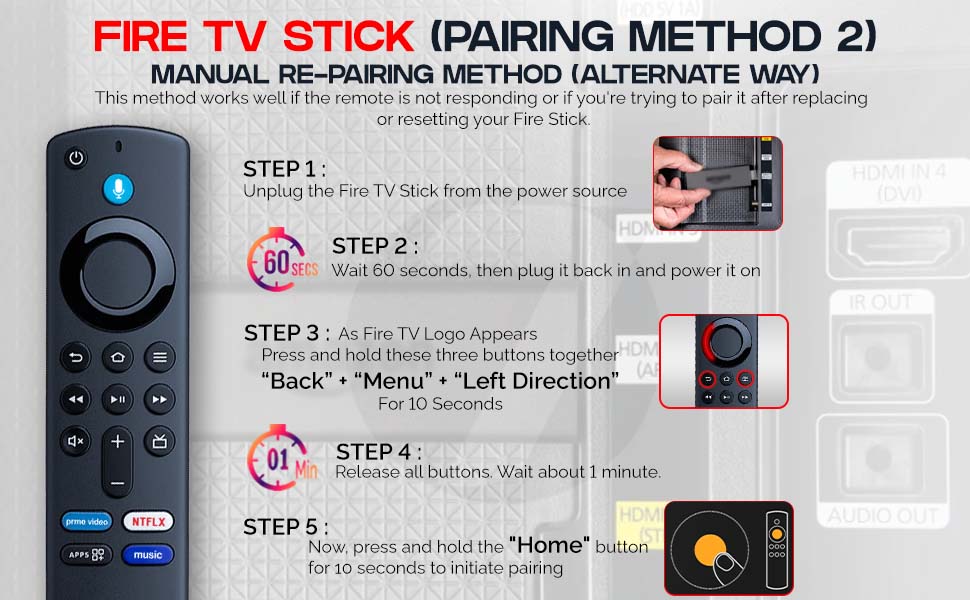
Fire tv 远程手动修复方法
如果您的Fire TV Stick 遥控器没有响应,或者在更换或重置设备后试图重新铺设,这种替代的手动方法可以有所帮助. 首先,从电源中完全解开火电视棍,以确保设备的完全重置. 解开插头后,至少等待60秒后再插回插头,再加动力. 这个等待期使得设备能够清除任何临时内存,并确保一个干净的重启. 在启动过程中,Fire TV Stick的标志出现于您的屏幕上,同时按下并按住您遥控器上的以下三个按钮:“Back”按钮、“Menu”按钮和导航环上的“Left Direction”按钮。 将这三根按钮一起按下整整10秒启动再铺设过程. 这种特定的按钮组合帮助重置遥控器,使其再次被Fire TV Stick发现. 在扣了10秒后,释放他们,并等待约1分钟. 这个短暂的暂停让Fire TV Stick有时间识别和同步遥控器. 最后,一旦分钟过后,按住遥控器上的“Home”按钮再按10秒,以完成配对过程。 最后一步告诉Fire TV Stick完成连接,让遥控器控制. 如果配对成功,您就可以正常地浏览家用屏幕. 当处理由于固件更新、电源问题或转换电池而未响应的远程设备时, 为了取得最佳效果 一定要确保你的遥控器有工作电池 最好是新鲜的AAA碱电池 通过仔细跟踪这些步骤,可以恢复远程功能,再次享受无缝流线体验.
Fire tv 智能遥控器
Fire tv 智能手机应用程序远程
To pair your Fire TV Stick using the Fire TV app on your smartphone, begin by downloading and installing the official Fire TV app from the App Store or Store. Once installed, ensure that both your mobile phone and the Fire TV Stick are connected to the same Wi-Fi network and that you're logged in with the same account on both devices. This step is crucial for seamless connectivity and device recognition. After confirming both the network and account match, launch the Fire TV app on your smartphone. You should now see the name of your Fire TV Stick displayed in the app interface. Tap on it to initiate the connection process. A four-digit code will appear on your TV screen. Enter this code in the mobile app to pair your smartphone with the Fire TV Stick. Once connected, your smartphone will function as a fully operational remote control for your Fire TV Stick through the app. Now, using the app as a remote, navigate to Home > Settings > Controllers & Bluetooth Devices > Fire TV Remotes > Add New Remote. At this point, take your new remote and press and hold the Home button until the indicator light on the remote begins to blink continuously, which means it is in pairing mode. As the Fire TV Stick scans for new remotes, your new remote’s name will appear on the TV screen. Using the mobile app, select the new remote from the list to initiate pairing. The Fire TV Stick will then pair with the new physical remote, allowing you to start using it as you would normally. This method is especially useful if your original remote is lost or not working, providing a simple workaround using just your smartphone and the Fire TV app. Be sure your phone stays connected to the same Wi-Fi network during the entire process to avoid interruptions.
产品详情
| Main Specification | |
|---|---|
| 制造商 | 7、7、7、7、7、7、7、7、7、7、7、7、7、7、7、7、7、7、7、7、7、7、7、7、7、7、7、7、7、7、7、7、7、7、7、7、7、7、7、7、7、7、7、7、7、7、7、7、7、7、7、7、7、7、7、7、7、7、7、7、7、7、7、7、7、7、7、7、7、7、7、7、7、7、7、7、7、7、7、7、7、7、7、7、7、7、7、7 |
| 单位数 | 1 计数 |
| 电池数量 | 需要2个AAA电池。 |
| 尺寸 L x W x H | 15L x 3.8W x 2H 厘米 |
| 控制器类型 | 语音控制 |
| 支持设备的最大数量 | 页:1 |
| 品牌 | 7点7分 |
| 项目数 | 页:1 |
| 型号名称 | 射击 TV 远程 |
| 兼容设备 | 流线设备 |
| 最大范围 | 15脚 |
| 颜色 | 黑色 |
| 特殊特性 | 不需要编程 |
| Technical Details | |
| 制造商部分编号 | S3L46N (英语). |
| 原籍国 | 印度 |
| Item details | |
| 型号 | L5b83G (英语). |
| 项目类型名称 | 射击 TV 远程 |
| Others | |
| 导入者联系人信息 | Chintadripet (英语). or 陈奈-60002 or 7xt电子私人有限公司 or 斯瓦米·奈肯街 or 联系人:+91 9840129077 or 联系人: [email protected] |
| 产品类型 | 射击 TV 远程 |
| 网络连接技术 | 蓝牙 |
| 产品特性 | 不需要编程 |
| 包装联系人信息 | 第七十七届 |
| 项目重量计量单位 | 90 克 计 |
| 制造商联系信息 | 7个 |
| 支持设备的最大数量 | 页:1 |
| 按钮数量 | 第19条 |
| 电池类型 | 碱 |
| 兼容流媒体播放器模式 | 塔布洛 SPVR2-02-EN |